ANTOS Gaming Core
Android Gaming Overlay, Telemetry & Screen Recording App
Project Overview
ANTOS Gaming Core is a production-grade Android gaming assistant built with Kotlin and Jetpack Compose. It provides non-intrusive in-game telemetry, visual frame rate analysis without root privileges, floating app shortcuts, screen recording, and gaming optimization tools—all designed to enhance the mobile gaming experience.
App Screenshots
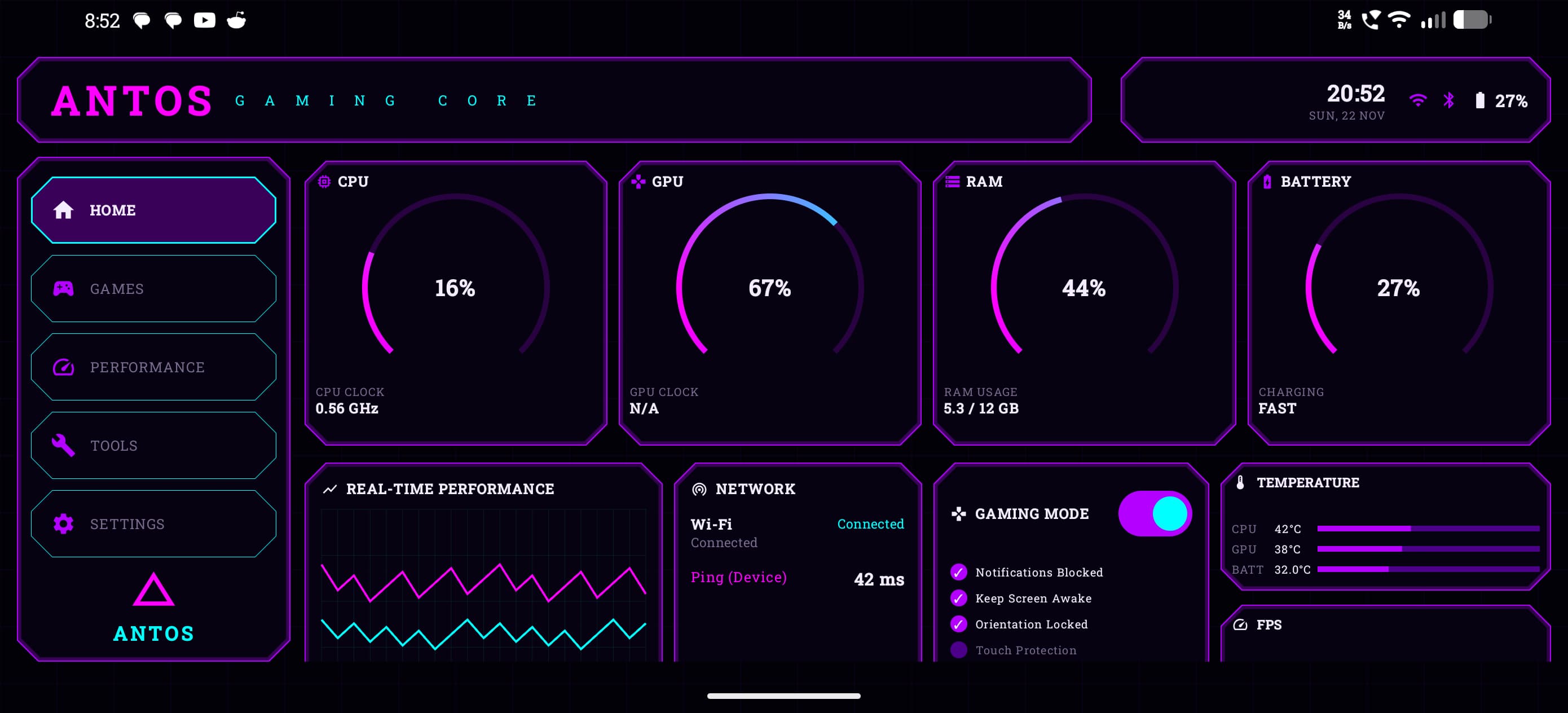
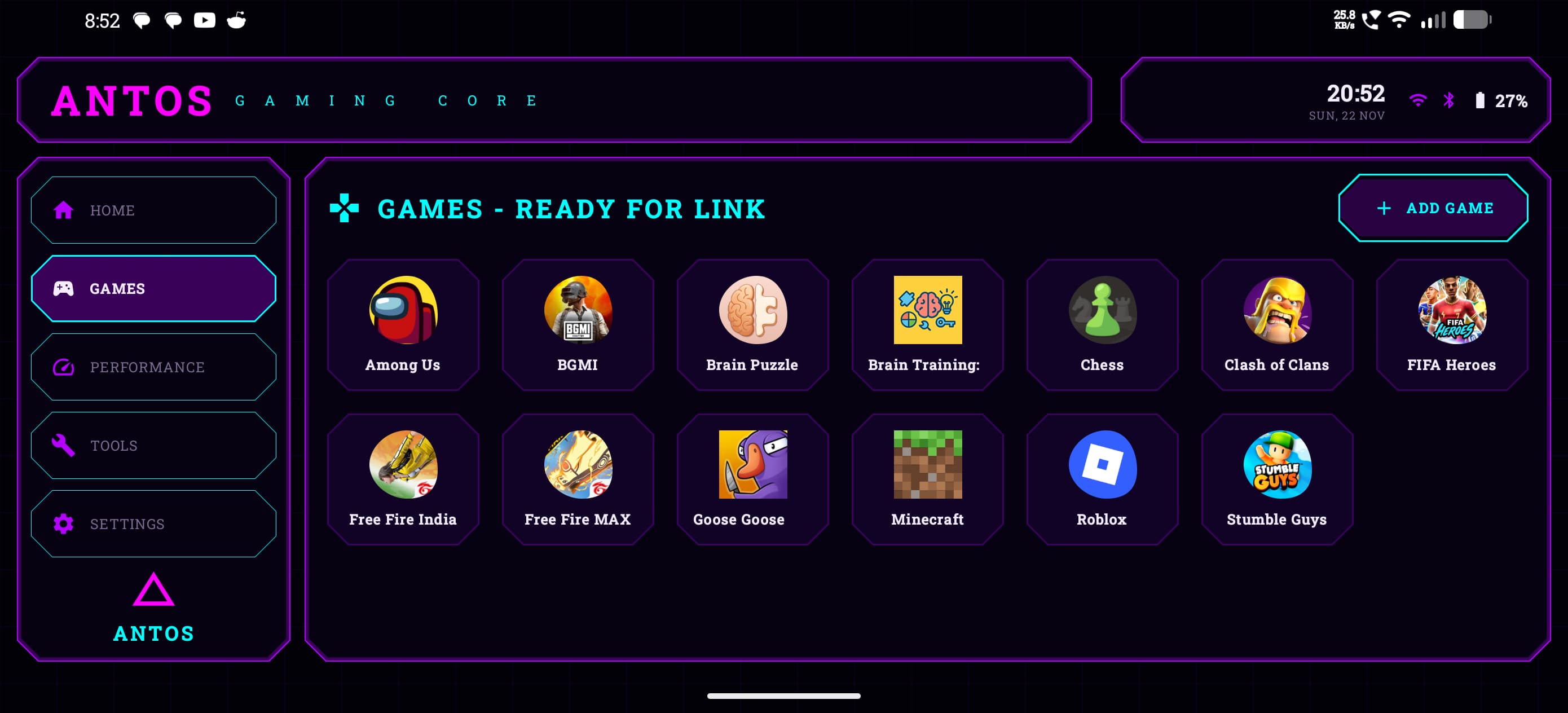
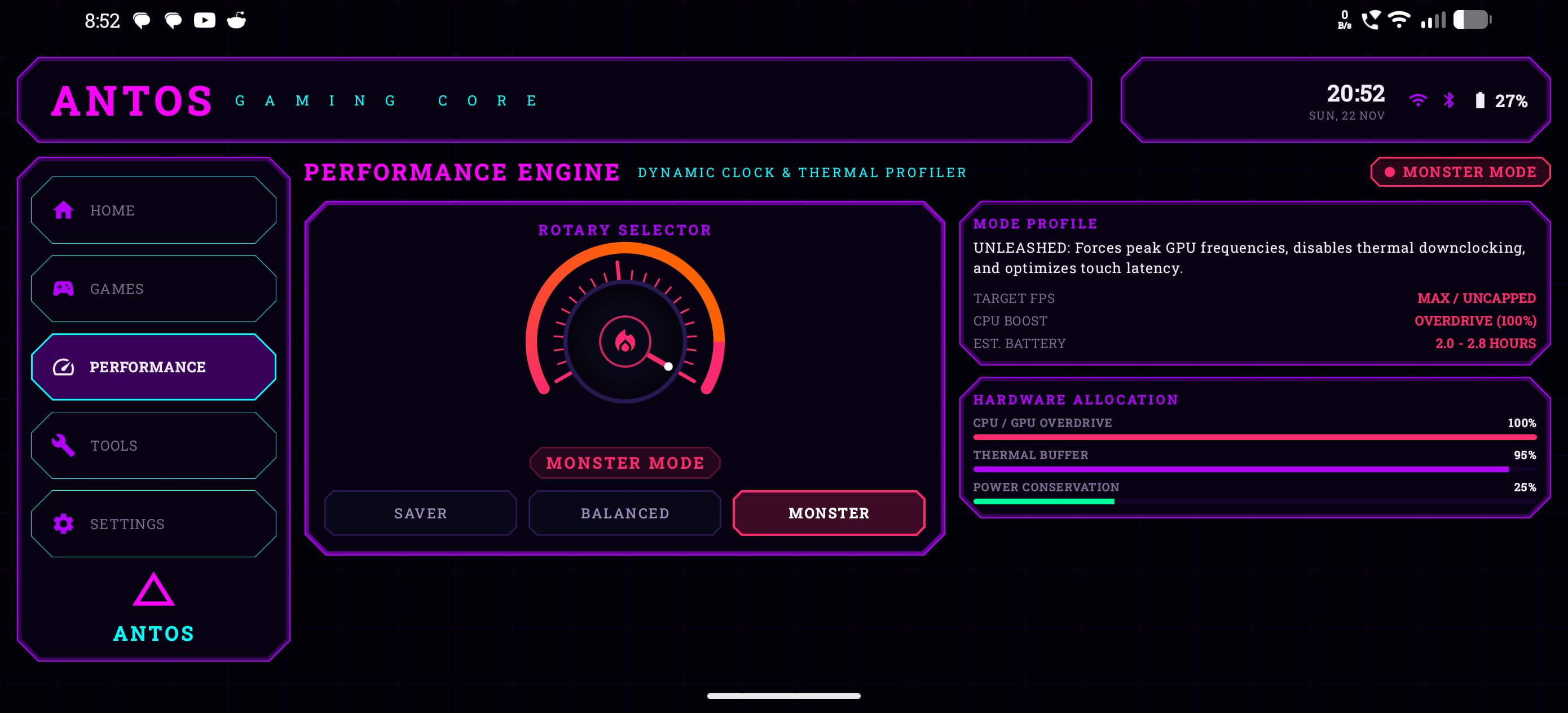
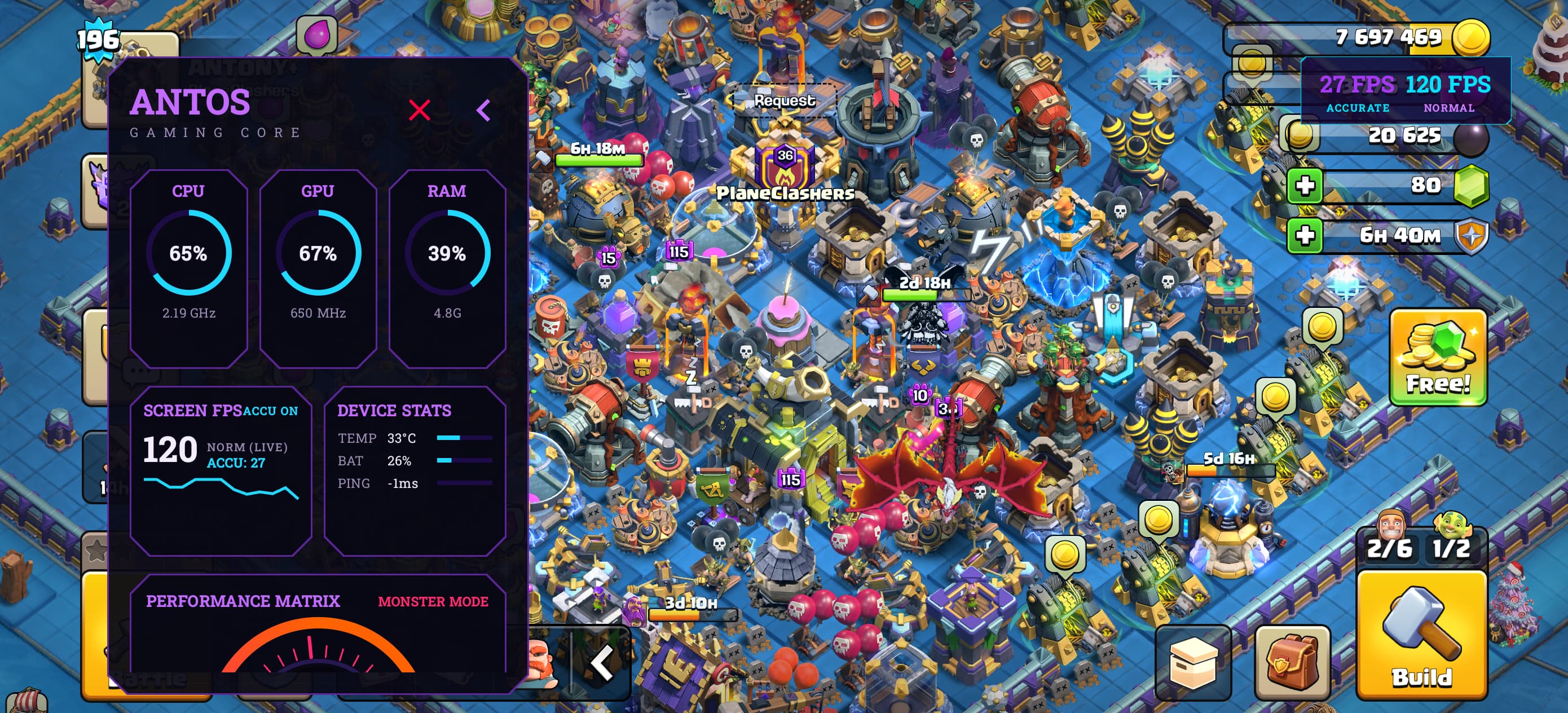
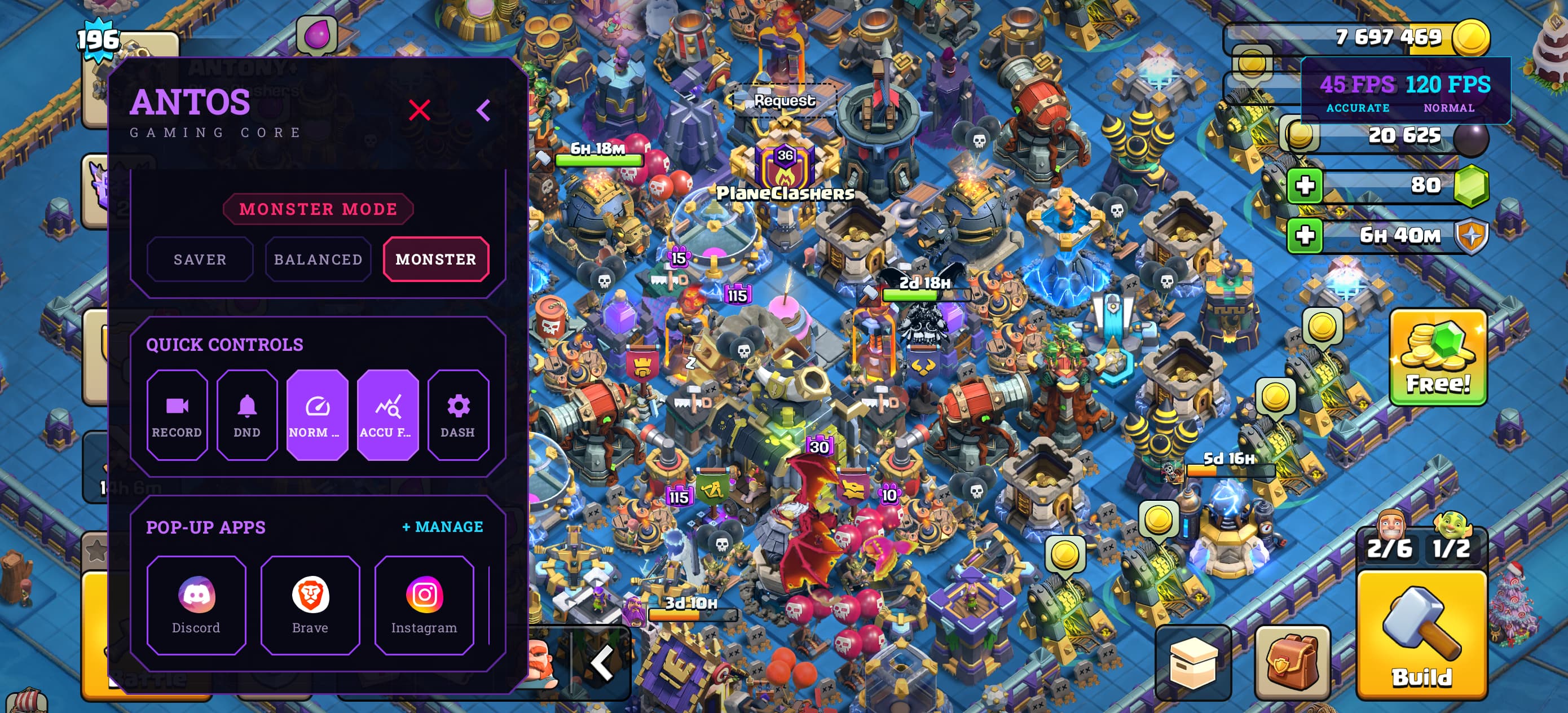
Key Features
1. In-Game Floating HUD & Collapsible Sidebar
- Edge Handle Trigger: Low-profile, draggable edge handle docked to screen border with swipe gesture to reveal gaming HUD
- Draggable Overlays: Seamless integration via Android WindowManager (TYPE_APPLICATION_OVERLAY) for overlays above fullscreen games
- Dedicated Floating FPS Counter: Compact, draggable real-time FPS badge positioned anywhere on screen
- Cyberpunk Sci-Fi UI: Custom angular HUD containers, neon accents (Cyan, Violet, Magenta), pulsing borders, and grid canvas overlays built entirely in Jetpack Compose
2. Advanced Real-Time Telemetry & Monitoring
- Visual Game FPS: Non-root frame rate detection using MediaProjection and ImageReader with visual signature analysis to calculate perceived game FPS, min/max metrics, and rolling history sparkline
- CPU Frequency & Load: Real-time clock frequency tracking from /sys/devices/system/cpu/ for CPU load estimation
- Thermal Gauges: Battery and thermal sensor monitoring for throttling warnings
- Memory Tracking: Real-time RAM consumption (available vs. total) via ActivityManager.MemoryInfo
- Network Latency & Connectivity: Active transport type detection (Wi-Fi, Cellular, Ethernet) with live gateway ping latency in milliseconds
- Battery Status: Charge percentage, discharge rates, and fast-charging status monitoring
3. Screen Recording
- High-Definition Capture: 1080p, 60 FPS recording at 8 Mbps bitrate using MediaProjection and hardware-accelerated MediaRecorder (H.264 / MP4)
- Automated Directory Management: Clips saved automatically to Movies/ANTOS/ANTOS_
.mp4 - One-Tap Quick Actions: Start/stop recording directly from floating HUD or dashboard
4. Freeform Floating Pop-Up Apps
- Launch apps (Discord, Brave Browser, Instagram) in resizable floating windows over gameplay using ActivityOptions.setLaunchWindowingMode and Intent.FLAG_ACTIVITY_LAUNCH_ADJACENT
- Maintain communication with team channels or check game wikis without switching out of game
5. Gaming Mode & Distraction Blocker
- Do Not Disturb (DND): Direct notification policy toggle via NotificationManager.INTERRUPTION_FILTER_NONE
- Display Optimization: Auto-rotation lock and max screen brightness presets via system settings management
6. Accidental Touch Protection
- Full-screen touch interceptor shield to prevent accidental palm and edge touches during intense gaming
- Activated on-demand and dismissed via double-tap anywhere on screen
7. Game Library & App Management
- Automatic Game Detection: Identifies installed games via ApplicationInfo.CATEGORY_GAME and ApplicationInfo.FLAG_IS_GAME
- Manual Game Picker: Add any installed application to ANTOS gaming library
- Per-Game Profiles: Store tailored configurations per game (Performance Mode, Brightness, Orientation Lock, Notification Blocking, FPS Counter, Touch Protection)
8. Preferences & Settings Persistence
- Persistent configuration via Jetpack Preferences DataStore
- App-wide preferences: Start on Boot, Auto Gaming Mode, Enable Sidebar, Auto-Hide, Show FPS Counter
Technology Stack
Architecture Pattern
- MVVM with Clean Architecture principles
- Unidirectional Data Flow with StateFlow
- Repository Pattern for data access
Project Structure
com.antos.gaming
├── data/              # PreferencesRepository, GameProfile (DataStore)
├── games/             # GameApp, GameDetector (Package scanning)
├── monitoring/        # MonitoringManager, VisualFrameAnalyzer, GameFpsMonitor,
│                      # BatteryMonitor, MemoryMonitor, NetworkMonitor, TemperatureMonitor,
│                      # ScreenCaptureService
├── permissions/       # PermissionManager
├── recording/         # ScreenRecorder, MediaRequestActivity
├── service/           # OverlayService, GamingModeManager, TouchProtectionService, BootReceiver
├── settings/          # SettingsManager
└── ui/
    ├── dashboard/     # DashboardScreen, DashboardViewModel, AppPickerScreen
    ├── settings/      # SettingsScreen, PermissionCenterScreen
    ├── sidebar/       # GamingSidebar, OverlayComposeView, HudComponents, EdgeHandle
    └── theme/         # Color, Theme, Type (Cyberpunk design tokens)
Technical Highlights
- Non-root FPS measurement using visual frame analysis via MediaProjection
- Reactive state management with Kotlin Coroutines and StateFlow
- Compose-based overlay system with proper lifecycle management
- Per-game configuration profiles with persistent storage
- Hardware-accelerated screen recording with H.264 encoding
- Freeform window integration for multitasking during gameplay