Clash of Clans Auto-Farming Bot
Computer Vision & ADB Game Automation Bot
Project Overview
A fully autonomous farming bot for Clash of Clans that uses Android Debug Bridge (ADB) and computer vision to automate the attack cycle. The bot continuously searches for opponents, deploys troops strategically, and returns home to repeat the process.
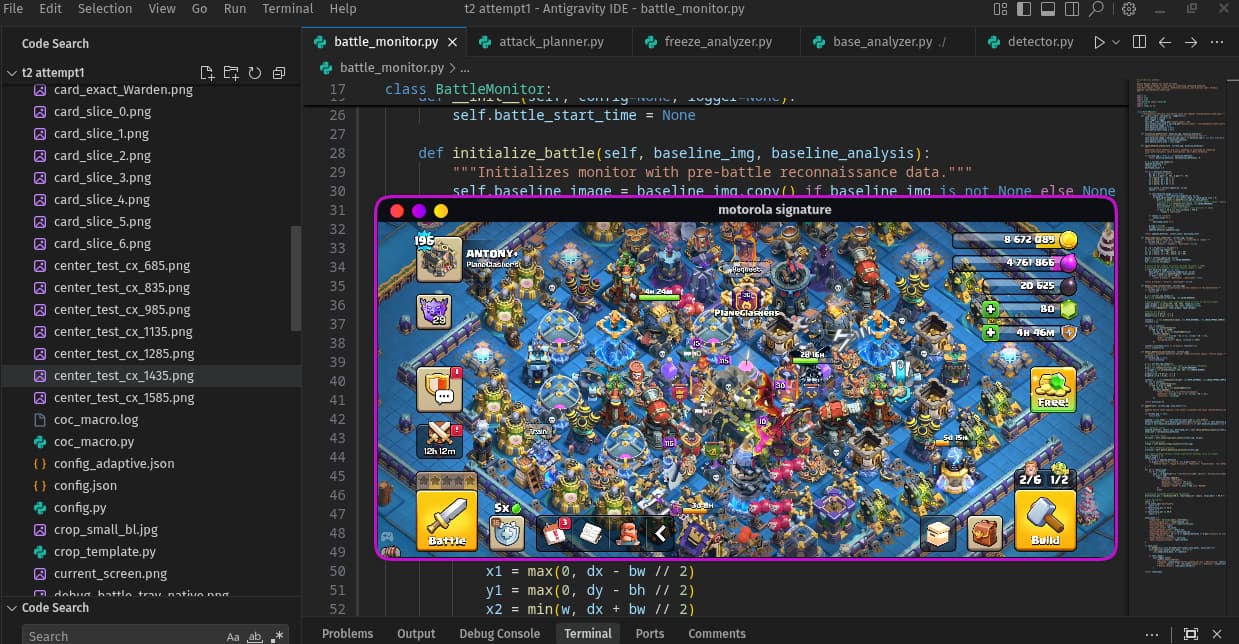
Bot Screenshot
Key Features
1. Computer Vision-Based State Detection
- Uses OpenCV template matching to detect game states in real-time
- Identifies 5 distinct game states: Home Village, Attack Menu, In-Battle, Return Home, and Unknown
- Achieves 75%+ confidence threshold for reliable state detection
- Processes screenshots at 1685x1264 resolution
2. Automated Attack Cycle
- Home Village Detection: Automatically taps Attack button to enter attack menu
- Matchmaking: Clicks "Find a Match" and waits for opponent (configurable timeout up to 5 minutes)
- Troop Deployment: Deploys entire army in optimized sequence:
- Dragons: 20-point wave deployment along safe drop lines outside red boundary
- Balloons: 8-point rapid deployment
- Heroes (Barbarian King, Archer Queen, Grand Warden): Strategic drops at safe coordinates
- Siege Machine: Precision deployment
- Spells: Multi-target drops on core areas
- Hero Abilities: Automatic activation after 3.5-second delay - Battle Completion: Monitors battle progress and detects completion
- Return Home: Automatically navigates back to village to restart cycle
3. Robust Error Handling & Recovery
- ADB Command Retries: Exponential backoff retry logic (3 attempts by default)
- Screen Capture Retries: Automatic retry on capture failures with timeout handling
- Connection Monitoring: Continuous ADB connection checks with auto-reconnection
- Stuck State Recovery: Detects when bot is stuck in a state and executes recovery sequence:
- Center screen tap
- Back button press
- Home button area tap - Configurable Timeouts: Per-state timeout configuration (30s-300s depending on state)
4. Configuration System
- JSON-based configuration file for easy customization
- Configurable parameters: ADB retry counts and delays, command and screen capture timeouts, template matching thresholds, state timeout durations, recovery settings, logging levels and output, deployment parameters
5. Comprehensive Logging
- Dual logging to file (coc_macro.log) and console
- Configurable log levels (DEBUG, INFO, WARNING, ERROR)
- Timestamped entries for debugging and monitoring
- Tracks state transitions, command execution, and errors
6. Screen Keep-Alive
- Prevents device sleep during operation
- Continuous power management via ADB
- Ensures uninterrupted automation
7. Safe Troop Deployment
- All troops deployed outside red boundary to avoid edge defenses
- Pre-calculated safe drop coordinates (x=1500-1550, y=250-750)
- Optimized deployment patterns for maximum effectiveness
Technology Stack
Technical Architecture
State Machine Pattern
The bot operates as a finite state machine with 5 states:
HOME_VILLAGE → ATTACK_MENU → IN_BATTLE → RETURN_HOME → HOME_VILLAGE
Template Matching Pipeline
- Capture screen via ADB screencap
- Decode PNG to OpenCV BGR format
- Apply normalized cross-correlation template matching
- Compare against threshold (default 0.75)
- Return state and button center coordinates
Error Recovery Strategy
- Level 1: Command retry with exponential backoff
- Level 2: Screen capture retry with timeout
- Level 3: State-based recovery sequence
- Level 4: Connection check and reconnection
Performance Metrics
- Screen Capture: ~15 seconds with retry logic
- State Detection: <1 second per check
- Troop Deployment: ~5 seconds for full army
- Battle Monitoring: 8-second intervals
- Overall Cycle: Variable (depends on matchmaking clouds and battle duration)
Challenges Solved
- Template Matching Accuracy: Adjusted thresholds to handle UI variations
- Matchmaking Clouds: Implemented configurable 5-minute timeout for long wait times
- Button Registration: Added multiple tap strategies (single tap, long press, multi-tap)
- State Detection Conflicts: Prioritized template checks to prevent false positives
- Connection Stability: Implemented continuous monitoring and auto-recovery
Future Enhancements
- Machine learning-based state detection for improved accuracy
- Dynamic troop deployment based on base layout analysis
- Resource collection automation (collecting mines, drills, etc.)
- Clan games and war attack automation
- Multi-device support for parallel farming
- Web-based dashboard for monitoring and control
Usage
# Install dependencies
pip install numpy opencv-python

# Run the bot
python3 coc_macro.py

# Test ADB connection
python3 test_adb.py

# Test template matching
python3 test_templates.py
System Requirements
- Python 3.8 or higher
- Android device with USB debugging enabled
- ADB installed and configured
- Clash of Clans installed on device
- Linux/macOS/Windows (cross-platform compatible)
Project Structure
coc-macro/
├── coc_macro.py          # Main bot logic
├── config.json           # Configuration file
├── test_adb.py          # ADB testing script
├── test_templates.py    # Template matching test
├── crop_template.py    # Template creation tool
├── templates/          # UI element templates
│   ├── attack_home.png
│   ├── end_battle.png
│   ├── find_match.png
│   ├── next_battle.png
│   ├── return_home.png
│   └── surrender.png
├── coc_macro.log       # Runtime logs
└── README.md          # Documentation
Learning Outcomes
- Gained expertise in computer vision and template matching
- Mastered ADB for Android automation
- Implemented robust error handling and recovery systems
- Developed state machine architecture for automation
- Created configurable and maintainable codebase
- Applied software engineering best practices (logging, configuration, testing)